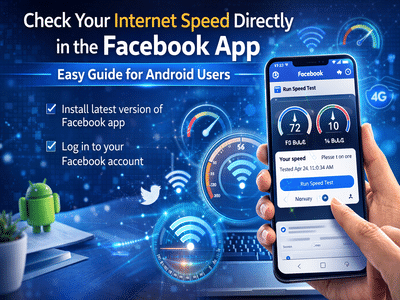
The Facebook app is widely used for connecting with friends, sharing posts, and watching videos. While most users know Facebook for its social networking features, the app also includes several lesser-known tools designed to improve user experience. One such useful tool allows Android users to test their internet speed directly within the Facebook app.
Instead of installing separate applications to measure network performance, Facebook provides a built-in feature that can check both download and upload speeds. This feature can help users identify slow internet connections, troubleshoot network issues, or simply monitor how well their mobile data or Wi-Fi is performing.
Below is a detailed guide explaining how the feature works and how you can use it to run an internet speed test through the Facebook app.
What Is the Facebook Internet Speed Test Feature?Facebook includes a section called Wi-Fi and Cellular Performance, where users can analyze the performance of their internet connection. Through this section, users can quickly run a speed test to determine how fast their device can download and upload data.
This feature measures:
- Download speed, which indicates how quickly data is received from the internet
- Upload speed, which shows how fast data is sent from your device
Understanding these speeds can help you determine whether your connection is strong enough for activities such as streaming videos, browsing social media, or uploading content.
Requirements to Use the FeatureBefore running the speed test, make sure the following conditions are met:
- You have the latest version of the Facebook app installed
- You are logged into your Facebook account
- Your smartphone runs on the Android operating system
Currently, the built-in speed testing feature is mainly available on Android devices.
How to Test Internet Speed Using the Facebook AppFollow these simple steps to check your internet connection speed through Facebook.
Step 1: Launch the Facebook AppOpen the Facebook app from your smartphone’s home screen or app drawer. If you are not logged in, enter your account credentials to sign in.
Step 2: Open the Main MenuTap the three horizontal lines located at the top-right corner of the screen. This opens Facebook’s main menu containing various settings and tools.
Step 3: Access Settings & PrivacyScroll down the menu and tap Settings & Privacy to reveal additional options.
Step 4: Select Wi-Fi & Cellular PerformanceFrom the list of options, tap Wi-Fi & Cellular Performance.
Step 5: Go to the “Your Speed” SectionLook for the Your Speed tab. Here you will find the Run Speed Test option.
Tap Continue to proceed.
Step 6: Run the Speed TestOn the next screen, tap the Run Speed Test button.
The Facebook app will begin measuring your network performance. Once the process is complete, it will display your download speed and upload speed.
Why This Feature Can Be UsefulUsing Facebook’s built-in speed test tool can be convenient for several reasons.
No additional apps required
Users do not need to download separate speed testing apps.
Quick troubleshooting
If videos or posts load slowly on Facebook, you can quickly check whether your internet connection is the issue.
Simple and accessible
The feature is integrated within Facebook’s settings, making it easy to use.
Facebook continues to add useful tools beyond its social networking features. The internet speed test option inside the app is a practical feature for Android users who want to quickly evaluate their network performance.
By following the steps outlined above, you can easily measure your internet speed and determine whether your Wi-Fi or mobile data connection is working efficiently.
Contact to : xlf550402@gmail.com
Copyright © boyuanhulian 2020 - 2023. All Right Reserved.